Everyone clocks in
on one tablet.
Payday adds up.
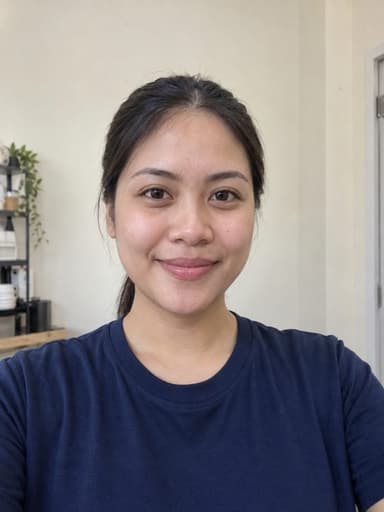
Staff clock in with a PIN and a selfie at the counter. Charmy shows you who's in, keeps leave straight, and runs payroll with SSS, PhilHealth and Pag-IBIG worked out.
- Free to start
- No card needed
- Set up before your next shift
You're clocked in, Mika.
Have a good shift. Your photo is saved with your clock-in.

Clock-in
7:58AM
Saturday, September 12
Mika Sandoval
Daro, front counter
This screen clears itself after 15 seconds.
Clock in or out at Daro
Enter your PIN
A selfie is taken after your PIN.
Who's in at Daro
1 missingMade for cafés, bakeries, milk tea shops, salons, sari-sari stores, clinics and restaurants.
PIN and selfie on every clock-in
Keeps working when Wi-Fi drops
PH payroll, contributions included
No app for staff to install
Sound familiar?
Running a shop shouldn't mean running a logbook.
The logbook says 8:00. Every day.
“Absent po ako.” Sent 6:52 AM.
Payroll eats your Sunday.
Vales on scraps of paper.
In comes Charmy. Here's one Saturday at Daro.
A day in good company
From first clock-in to payday, without the chasing.

Mika Sandoval
7:58 AM
On timeSelfie01 · 7:58 AM
Mika clocks in
Check in with
MLMissingMarco Lim
Daro, expected 08:00
Text sent to Marco at 8:15 AM
02 · 8:15 AM
Marco hasn't come in
SEP
17
PendingMika Sandoval
Vacation, 1 day
Daro on Sep 17: 4 to 3 on shift, minimum 3
ApproveDecline03 · 2:30 PM
A leave request lands
Sep 7 to 12
Approved₱10,666
team take-home, 10 payslips
- Draft
- Review
- Approve
- 4Pay
- Publish
04 · Payday
Payroll, step by step
The kiosk
One tablet at the counter. Two buttons.
Clock in or out. My space. That's the whole thing your staff need to learn.
A selfie with every clock-in
Clocking in takes a PIN and a required selfie. The photo is saved with the punch, so nobody clocks in for a friend.
On time or late, instantly
Each clock-in is checked against the shift the moment it happens.
Keeps going offline
Clock-ins are saved on the tablet and sync when the connection is back.
My space for every staff member
Payslips, leave balance, vales, shifts and requests. No app to install.
Saturday, Sep 12
Hi, Mika.

You're clocked in
In
07:58
Ends
17:00
₱2,000
Left to repay
4 days
Vacation left
My activity
Clocking & changes
My requests
Leave, advances, copies
Payslips
Pay & printed copies
My shifts
This week's roster
Only your records are shown. Finish when you're done.
Finish & sign outFor owners and managers
Your whole shop on one screen.
Open Charmy in any browser. Today tells you what needs you before you've had coffee.

Who's in at Daro
1 missingCheck in with
Marco Lim
Daro, expected 08:00
Text sent to Marco at 8:15 AM
What needs you comes first
Requests and missing clock-ins sit at the top, with one clear button each.
Who's in, at a glance
Every shift slot shows as in, late, missing or resting, branch by branch.
Pay with its reasons
A missing clock-out is flagged before you pay, not after.
Before and after
Still running the shop on a logbook?
| Task | Logbook, Excel and Viber | With Charmy |
|---|---|---|
| Proof of clock-in | Proof of clock-inA signature in a notebook | PIN and selfie, timestamped |
| Lates and no-shows | Lates and no-showsFound out when the shift is short | Flagged by 8:15, with a text to the staff member |
| Leave and cover | Leave and coverChat threads and guesswork | Request, staffing effect, approve |
| Payroll | PayrollA Sunday in Excel | Reviewed step by step, then paid |
| SSS, PhilHealth, Pag-IBIG | SSS, PhilHealth, Pag-IBIGLooked up by hand | Worked out on every payslip |
| Cash advances | Cash advancesScraps of paper | A running balance with every repayment |
| “Boss, magkano sahod ko?” | “Boss, magkano sahod ko?”Answered one by one | Staff check their payslip in My space |
Payroll and vales
Payday without the Sunday spreadsheet.
Contributions on every payslip
SSS, PhilHealth and Pag-IBIG are worked out with each pay run.
Vales that pay themselves down
Plan a repayment and it comes off the next payslip, with the balance shown.
Approve, pay, publish
Three separate steps, so nothing goes out by accident. Staff see the payslip in My space.
Amounts are an example.
Mika Sandoval
Payslip, Aug 31 to Sep 5
Take-home
₱4,812.00
- Gross pay · 6 days × ₱950
- ₱5,700.00
- SSS
- −₱225.00
- PhilHealth
- −₱113.00
- Pag-IBIG
- −₱50.00
- Cash advance repayment
- −₱500.00
- Draft
- Review
- Approve
- Pay
- Publish
Mika's cash advance
Vale, released Sep 1
Left to repay
₱2,000
₱1,000 repaid of ₱3,00033%
Planned, Sep 12 payroll
−₱500Direct repayment
Sep 10, cash
−₱500
balance ₱2,000
Payroll repayment
Sep 5, payslip
−₱500
balance ₱2,500
Advance released
Sep 1, cash
+₱3,000
balance ₱3,000
Trust
Your team's records, kept the way good company would.
Private on a shared tablet
My space opens with a PIN, and closes itself after 90 seconds idle or when staff tap Finish.
Saved when Wi-Fi drops
Clock-ins wait on the tablet, labelled as saved on this device, then sync on their own.
Every change is logged
Edits to pay, time and records keep who changed what, and when.
Your shop's data stays yours
Each business is kept separate from every other one on Charmy.
Pricing
Simple plans, in pesos.
Plans are coming soon. Nothing is charged today, and prices may change before launch.
Free
For trying it at one counter
₱0 a month
- 1 branch
- Up to 5 active staff
- Kiosk clock-in, schedules and attendance
- 30 days of history
Basic
For running payroll
₱299 a month
- 1 branch
- Up to 5 active staff
- Everything in Free
- Leave and PH payroll
- 3 months of history
Pro
For a growing team
₱899 a month
- 2 branches
- Up to 30 active staff
- Everything in Basic
- SMS alerts, with 200 credits a month
- Full history
Pro add-ons. Extra SMS credits at ₱1.50 each, and your own SMS sender name for ₱3,499 a year.
Prices include VAT. Plan details

Getting started
From logbook to first clock-in, before your next shift.
- About 3 min
Step 1
Create your workspace
Business name, branches and pay rules.
- About 5 min
Step 2
Add your staff
Type them in, or upload our Excel template.
- About 5 min
Step 3
Pair the tablet
Enter the code on the kiosk. Staff use their own PIN.
First clock-in
Luma shows up when your first staff member clocks in. That's your setup done.

Do my staff need to install an app?
No. Everyone uses the shared tablet at the counter. Clocking in takes a PIN and a selfie, and My space shows each person their own payslips, requests, shifts and history.
What device do I need for the kiosk?
An Android tablet or phone at the counter. You pair it to your workspace with a code, and staff use their own PINs.
What happens if the Wi-Fi drops?
Clock-ins are saved on the tablet and marked “saved on this device”. They sync on their own when the connection comes back.
Why is a selfie required?
The photo is saved with each clock-in, so nobody can clock in for a friend. Staff can see their own photos in My space.
Does Charmy work out SSS, PhilHealth and Pag-IBIG?
Yes. Contributions are calculated on every payslip, alongside cash-advance repayments, so take-home pay shows how it was reached.
Can I run more than one branch?
Yes. Today shows who is in at each branch, and the Pro plan covers two branches.
How much does it cost?
Nothing is charged today. The Free, Basic and Pro plans are what we plan to offer, and prices may change before launch.